In May 2025, Figma officially announced a new feature, Figma Sites, at Config 2025, generating significant buzz in the design and no-code communities.
Currently available as an Open Beta, Figma Sites allows you to publish your Figma designs directly as websites, enabling a workflow that previously required multiple tools or coding steps.
In this article, we’ll provide a 2025/26 update on Figma Sites, explaining what it can do today, what limitations still exist, and its potential and challenges in a clear, easy-to-understand way.
What is Figma Sites?
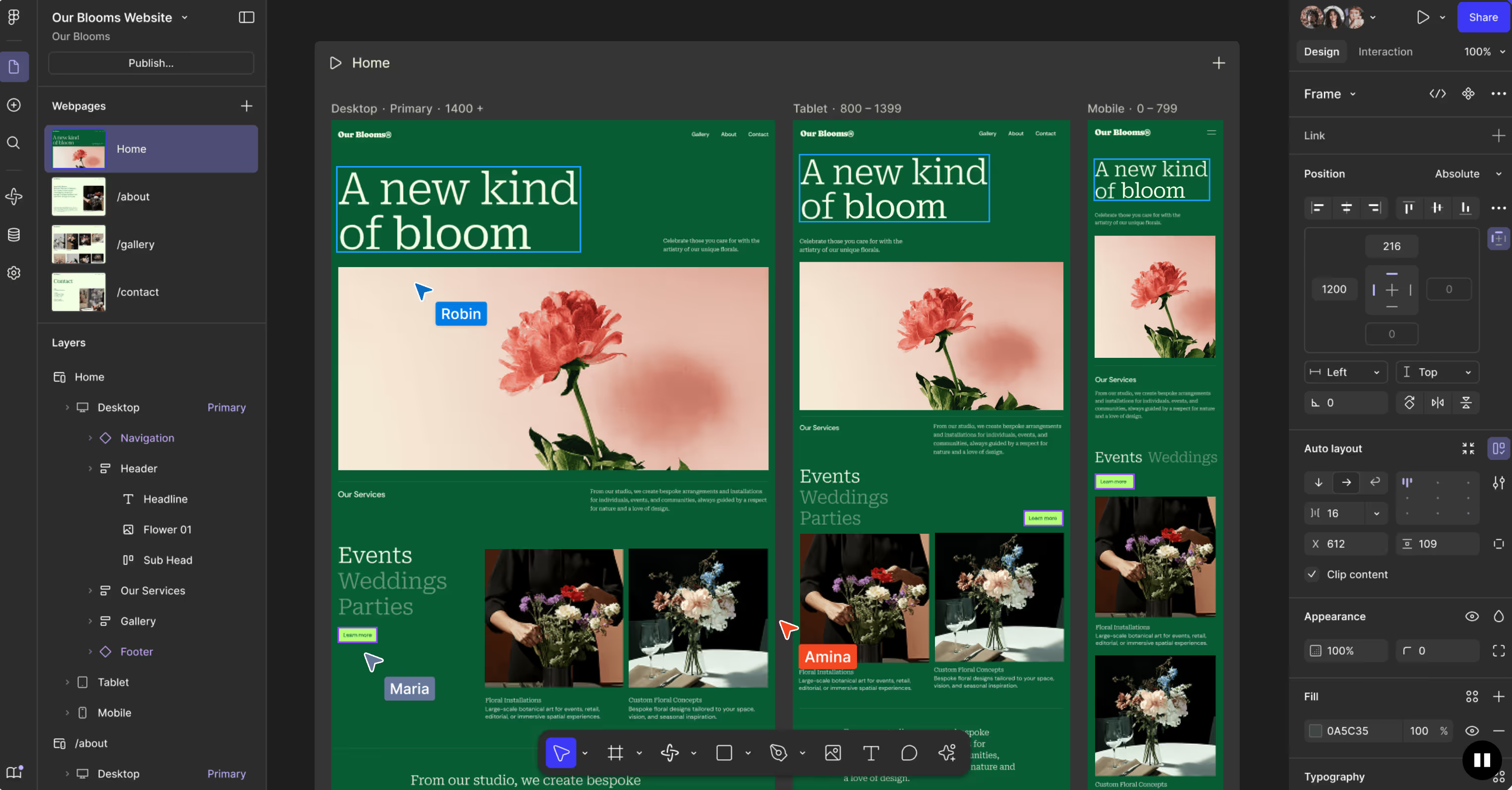
Figma Sites is a new feature that allows you to take your designs from Figma all the way to a live website without leaving Figma.
Traditionally, turning Figma designs into websites required coding or the use of other builder tools. With Figma Sites, the entire process from design → code → publish can now be completed entirely within Figma.
The Open Beta version is freely accessible for experimentation. However, publishing to a custom domain requires a paid plan, and access to certain features may vary depending on your subscription.
Key Features
Here’s a breakdown of the main features currently available in Figma Sites:
Responsive Design & Breakpoints
Figma Sites makes it easy to create web pages that adapt to different screen sizes, including desktops, tablets, and mobile devices. By leveraging Auto Layout 2.0, elements within a frame automatically adjust their positions and spacing based on the screen width, helping prevent layout issues.
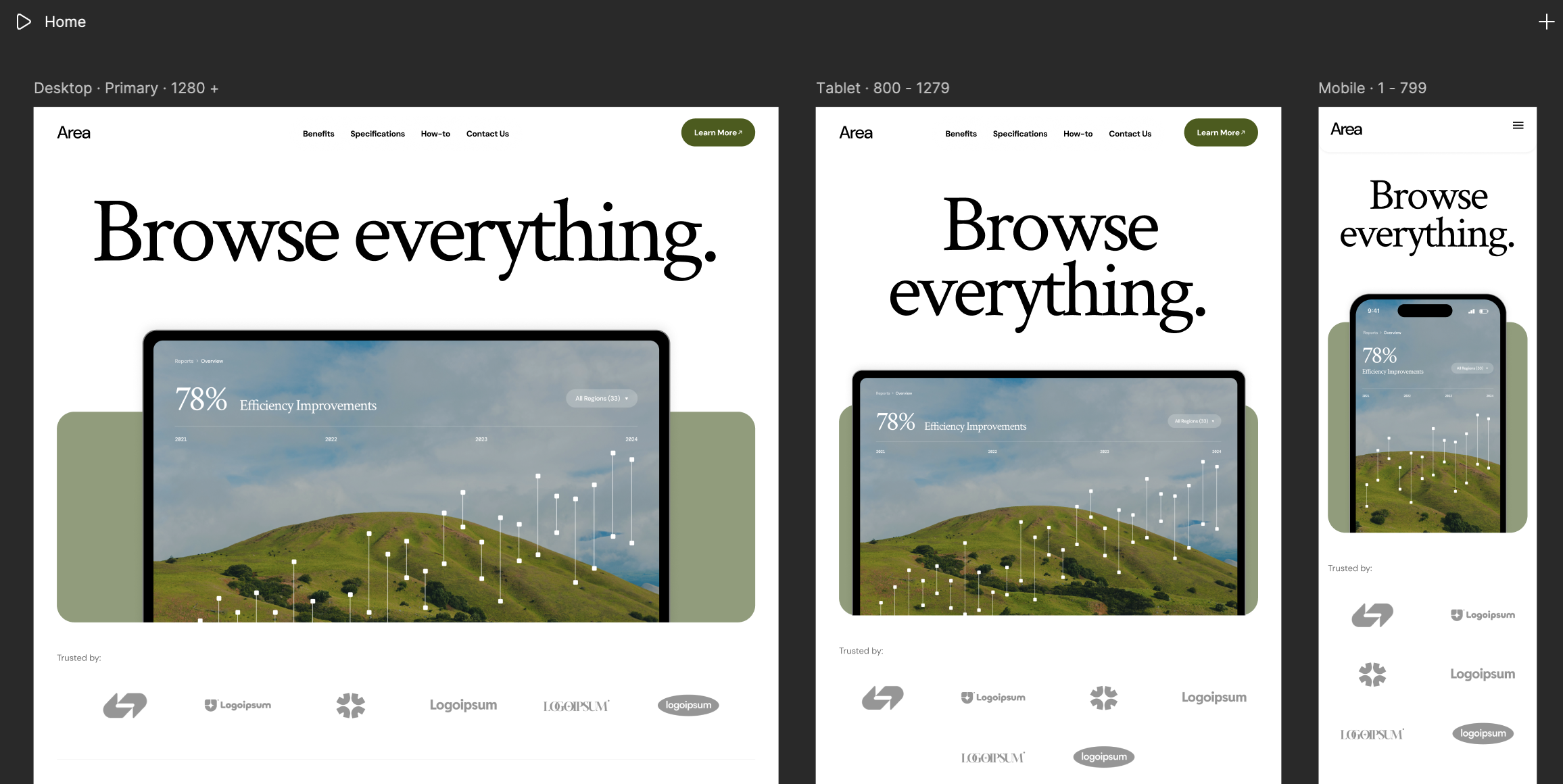
Using breakpoints, you can automatically adjust desktop designs for tablets or smartphones, and fine-tune them individually if needed. This reduces the effort required to maintain consistent designs across devices.
Changes made in one layout are instantly reflected across other screen sizes, allowing you to efficiently create visually appealing, multi-device-friendly websites without deep technical knowledge.
Templates & Assets
Figma Sites offers a variety of pre-designed templates for landing pages, portfolios, and service pages. Beginners can leverage professional designs to quickly create websites, saving significant time.
Using a template is simple: when creating a new site, just select the desired template, and the full page design and structure are automatically applied.
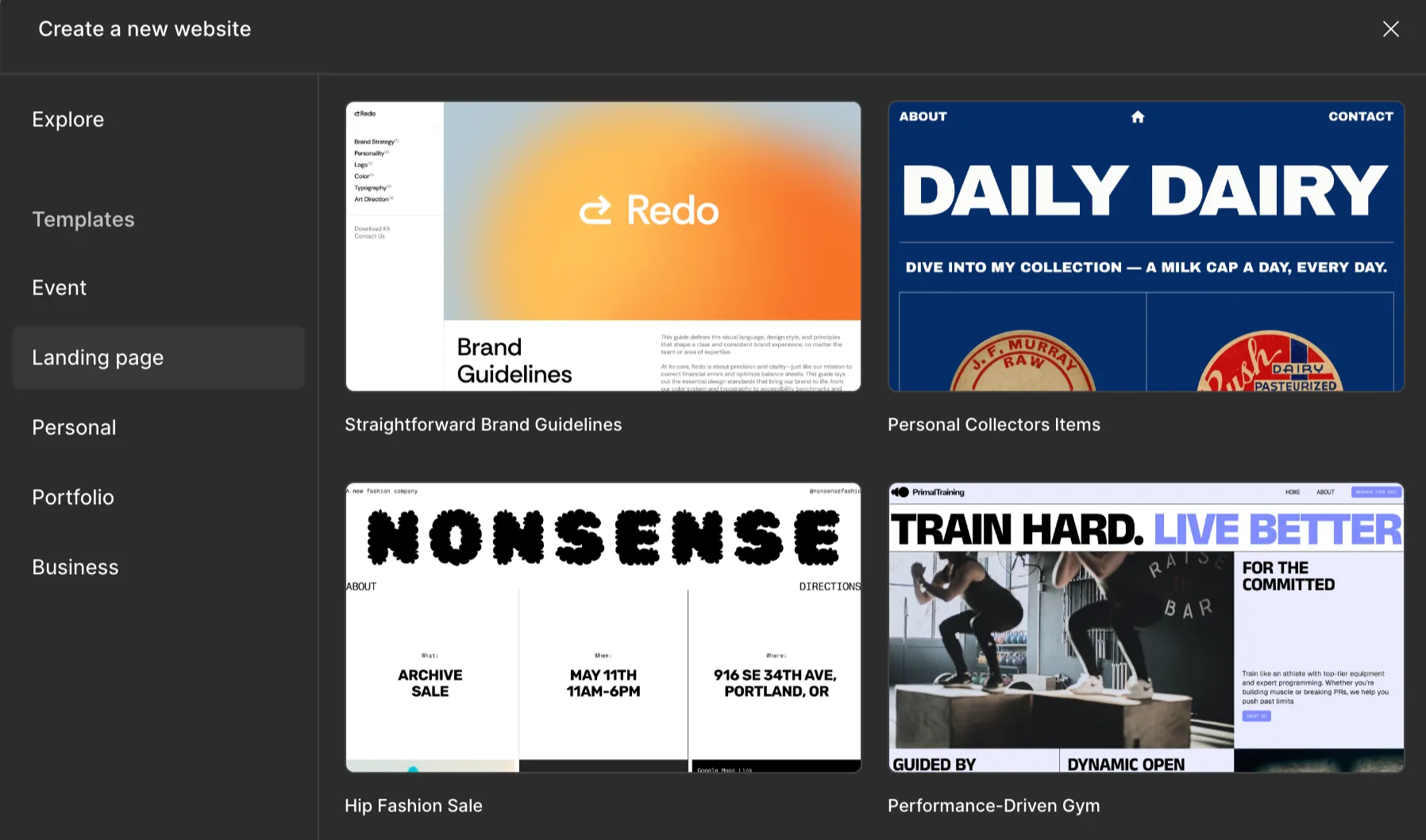
You can then replace text and images or make minor layout adjustments to have a ready-to-publish page. Templates can also be used section by section, such as using only the hero section or feature blocks, making it easy to create custom pages.
Templates streamline the design → publish workflow, making Figma Sites ideal for creating professional-looking pages quickly, or for beginners learning while building a site.
Animations & Interactions
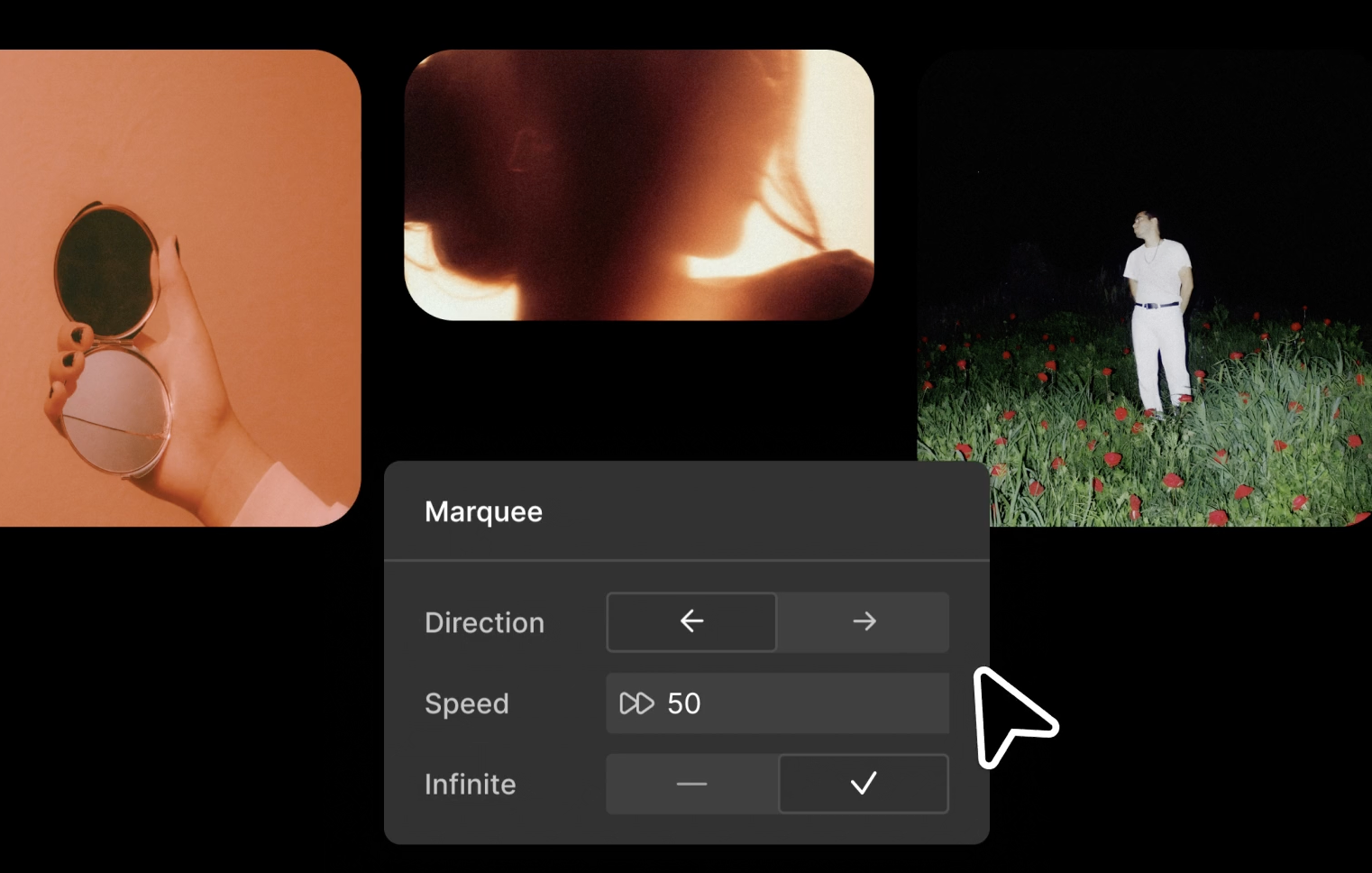
Figma Sites allows you to add animations and interactions without writing any code.
Examples include:
- Hover effects for buttons and links
- Parallax scrolling for background and elements
- Marquee (horizontal scrolling) for news or announcements
These effects can be applied intuitively via the Figma interface. You can also add page transition animations and micro-interactions that respond to user actions, enhancing the user experience.
This enables designers to add dynamic interactions while maintaining efficient workflows, creating professional websites without programming knowledge.
Accessibility
Recent updates have improved accessibility features, ensuring Figma Sites outputs semantically meaningful HTML for screen readers and assistive technologies.
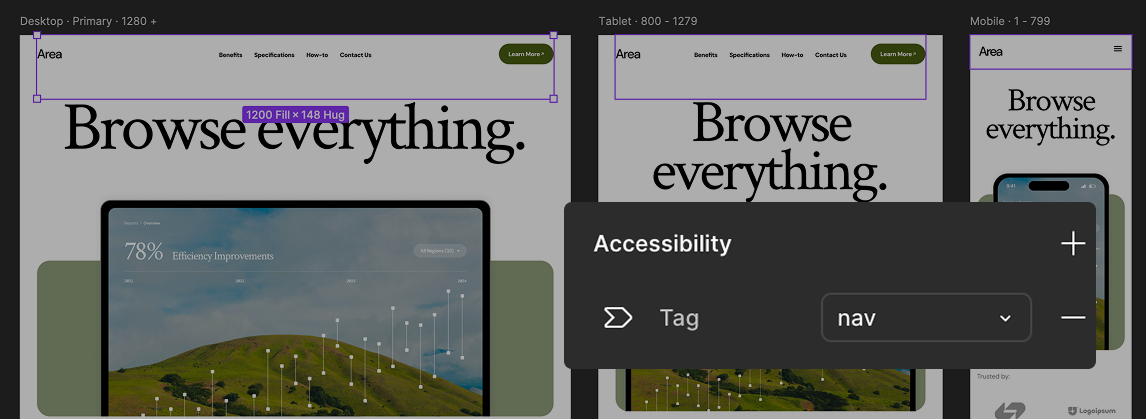
Keyboard navigation is also supported, allowing users to navigate links and buttons with the Tab key and trigger actions with Enter. This makes sites usable for those who cannot use a mouse, enabling inclusive web experiences without coding.
Custom Domains & Hosting
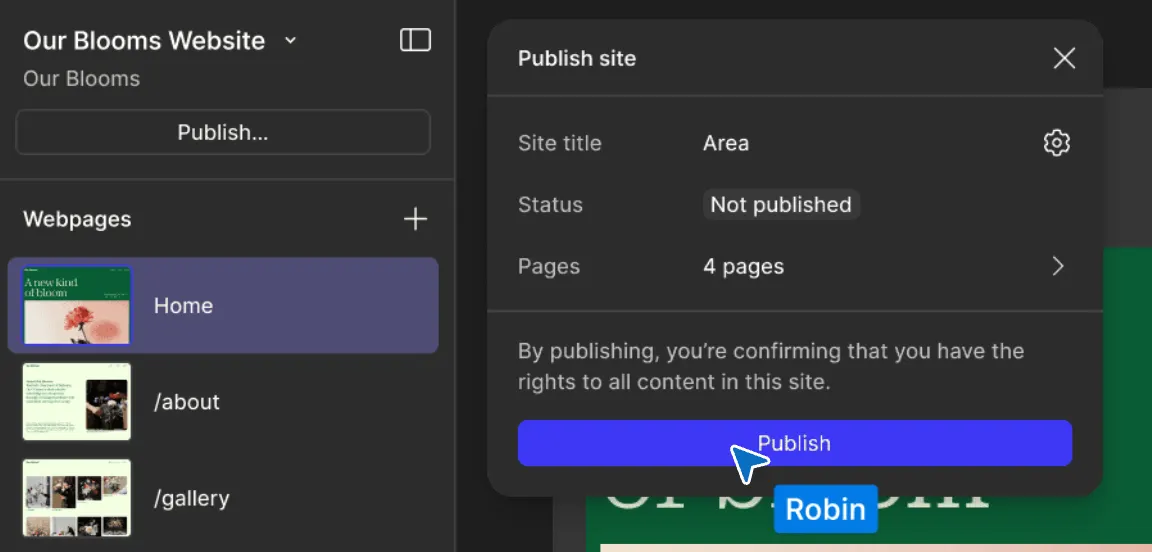
Figma Sites provides built-in hosting, so you don’t need to manage servers. Sites can be published on Figma’s automatically assigned .figma.site subdomain.
Paid plans allow users to connect custom domains. Professional plans support up to 10 custom domains, while Organization and Enterprise plans allow unlimited custom domains. Connecting or removing domains is straightforward via Figma’s settings, enabling brand-aligned URLs and SEO-friendly setups.
Version Control
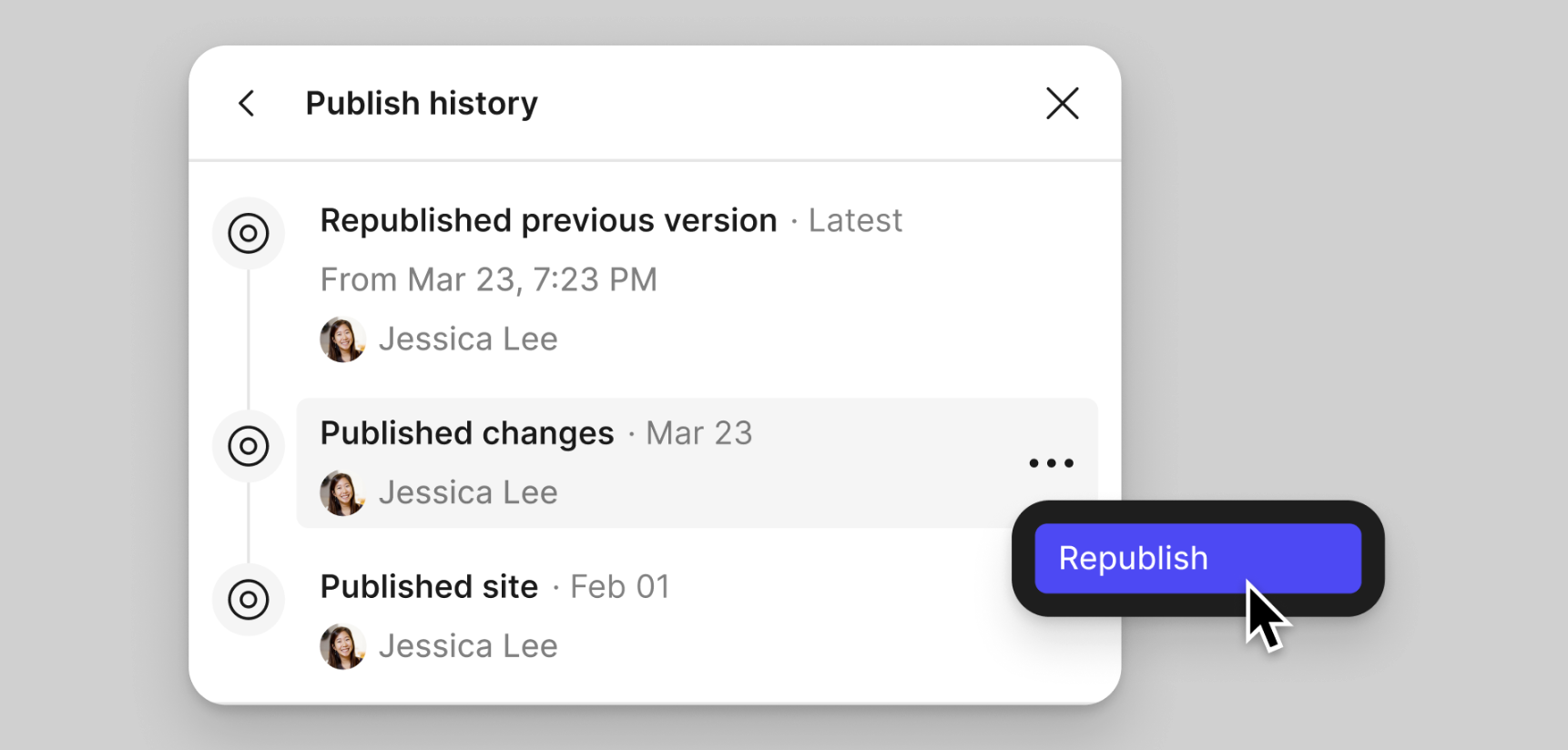
A new version management feature allows you to revert to previously published versions of your site.
- Mistaken updates or urgent rollbacks can be handled quickly.
- Design files themselves remain unchanged; only the published version is affected.
- The system keeps a record of which version was republished, making team operations safer and easier.
Limitations
- E-commerce: No shopping cart or checkout functionality.
- API / Plugin integration: Not yet available in beta.
- Multi-language sites: Limited support.
- Advanced CMS features: Still in beta, with restrictions on filters and dynamic content.
- Custom code: Only site-wide code insertion is possible; page-specific scripts are unsupported.
- Member/login functionality: Not supported.
- Forms: Native forms are being rolled out; external forms can be embedded as a workaround.
Pricing
Publishing sites or using custom domains requires a paid plan:
- Starter (Free) – Basic design features; limited domain and team capabilities.
- Professional – $18/month (billed annually); allows site publishing and up to 10 custom domains; suitable for individuals or small teams.
- Organization – $63/month (billed annually); for mid-to-large teams with enhanced security, team management, and unlimited domains.
- Enterprise – $103/month (billed annually); adds SSO, advanced security, and auditing features for complex, large-scale operations.
All plans include Figma hosting, eliminating the need for separate server management.
Figma Sites vs Webflow vs STUDIO – Scenario-Based Overview
When choosing a web development tool, it’s important to consider the strengths and weaknesses of each option. Figma Sites allows you to go from design to publishing entirely within Figma, Webflow offers high flexibility with CMS and SEO capabilities, and STUDIO provides intuitive operation that is especially convenient for Japan-focused projects.
Here’s a breakdown of each tool by typical use case:
1. Landing Pages / Small Websites
Figma Sites is ideal for creating landing pages quickly. Its workflow allows you to publish directly from Figma, making the production speed the fastest among these tools. The interface is easy to understand, making it accessible even to beginners without coding experience. The main limitations are that its CMS capabilities are limited, and there are fewer templates available.
Webflow enables professional-level landing pages with high-quality design and SEO optimization. It is very powerful, but beginners may find it somewhat challenging, and there is a learning curve to master its features.
STUDIO offers an intuitive interface that makes building a visually polished landing page straightforward. Templates make it easy to create a professional-looking page, but the tool is less flexible for advanced customizations or complex functionality.
2. Corporate Websites / Medium-Sized Projects
Figma Sites allows you to complete the entire workflow from design to publishing within Figma, making updates smooth and enabling you to leverage existing brand assets. However, its CMS and page structure capabilities are limited, which may be a drawback for larger, more complex operations.
Webflow excels for medium to large corporate sites, offering a powerful CMS and robust SEO settings. It can handle complex structures and multi-page operations with ease. The downside is that setup and learning require more time and effort.
STUDIO provides a wealth of Japan-focused templates, making it well-suited for design-centric corporate sites. Its CMS and flexibility, however, are not as strong as Webflow’s.
3. Blogs & Media Sites
Figma Sites can manage small blogs or news sites using its CMS capabilities. However, it is not well-suited for large-scale media with a high volume of posts.
Webflow is ideal for large-scale media and content-driven blogs, thanks to its advanced CMS structure. It allows complex content management but comes with a higher learning curve.
STUDIO works well for small blogs, with simple operation and straightforward setup. It struggles with complex structures or multi-functional CMS needs.
4. Multi-Language Sites
Figma Sites currently offers very limited multi-language support, making it unsuitable for full-scale multilingual sites.
Webflow provides robust multi-language functionality, capable of handling complex site structures and large-scale multilingual operations. The setup can be somewhat complex and may take time to master.
STUDIO supports multi-language sites for small to medium-scale projects, though advanced control and complex structuring are limited.
5. Motion & Brand Expression
Figma Sites allows you to easily add effects like hover animations, scroll-triggered movements, and parallax effects without writing any code. Its main limitation is that highly customized or complex animations are not yet fully supported.
Webflow offers advanced animation capabilities through the new GSAP-powered interactions, allowing complex triggers and highly flexible motion design. The trade-off is that it requires more time to set up and has a steeper learning curve.
STUDIO makes creating animations intuitive, supporting expressive brand presentation, but the freedom to implement advanced animations is not as high as Webflow’s.
Summary
- Figma Sites is best suited for small to medium-sized projects where the goal is to complete the design-to-publish workflow quickly within Figma.
- Webflow is aimed at professionals who require CMS management, SEO, multi-language support, and advanced animation features, offering maximum flexibility and scalability.
- STUDIO is ideal for users who want to create visually appealing websites quickly with intuitive operation, especially for Japan-focused projects.
Our Perspective: How to Choose Between Figma Sites and Webflow
Figma Sites is ideal for prototypes, quick landing pages, and speed-focused projects. Its all-in-one workflow allows small teams to quickly launch websites.
For full-scale commercial sites or medium-to-large corporate websites with long-term operation, Webflow is more suitable due to its advanced CMS, SEO, and customization capabilities.
Choosing the right tool based on project size and purpose ensures efficient and high-quality web production. Supasaito provides support for no-code production with this tool-based workflow in mind.
FAQ: Figma Sites
Q1: Can I submit forms?
A: Form functionality is being rolled out. Basic forms are available, but advanced features and integrations are limited.
Q2: Can I export code?
A: No. Figma Sites does not support code export. Publishing is handled entirely via Figma hosting.
Q3: Are there traffic limits?
A: No major limits in the Open Beta, but caution is advised for high-traffic sites.
Q4: Can I use a custom domain?
A: Yes, with a paid plan. Figma hosting is provided, so no server management is needed.
Q5: Can I create multi-language sites?
A: Limited support; suitable only for small-scale multilingual needs.
Q6: Is CMS available?
A: Yes, in beta. Basic dynamic content management is possible, but advanced features remain limited.
Summary
Figma Sites allows you to take your designs from concept to live site within Figma.
It’s perfect for prototypes and quick landing pages, but for professional, larger-scale sites, Webflow is still the best choice.
If you’ve created a prototype with Figma Sites and are considering a full-scale deployment, Supasaito’s Webflow consulting service can help. Our experienced team supports everything from planning and design to CMS setup and publishing, ensuring your website is launched efficiently and optimally.
▶ Consult Supasaito for Webflow Development
Updated Nov 2025













.svg)
